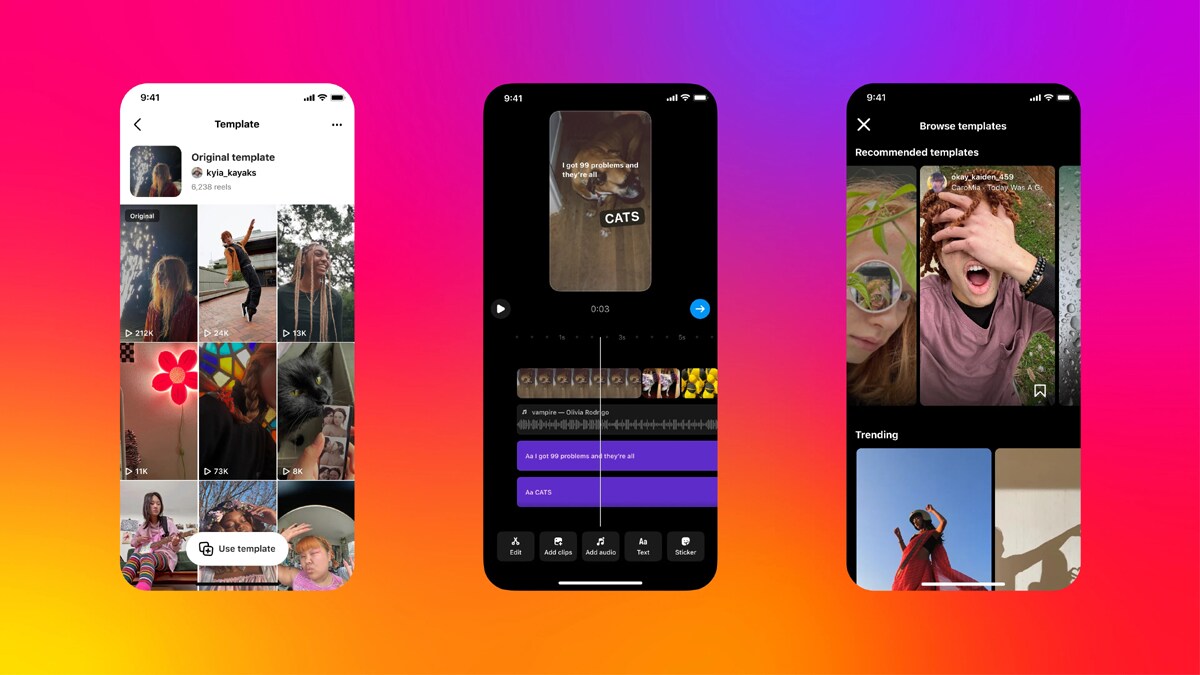
Meta has introduced a new feature to its Instagram platform called Template Browser. This feature is a new update to Instagram Reels templates and will make it easier for users to create Reels.
“We’re making it easy for you to find inspiration for your next reel, starting with a new and improved Template Browser,” Instagram said in a blog post.
Template Browser will enable users to browse templates by categories based on Recommended, Trending, and templates or audio that creators have saved.
How to access Template browser on Instagram
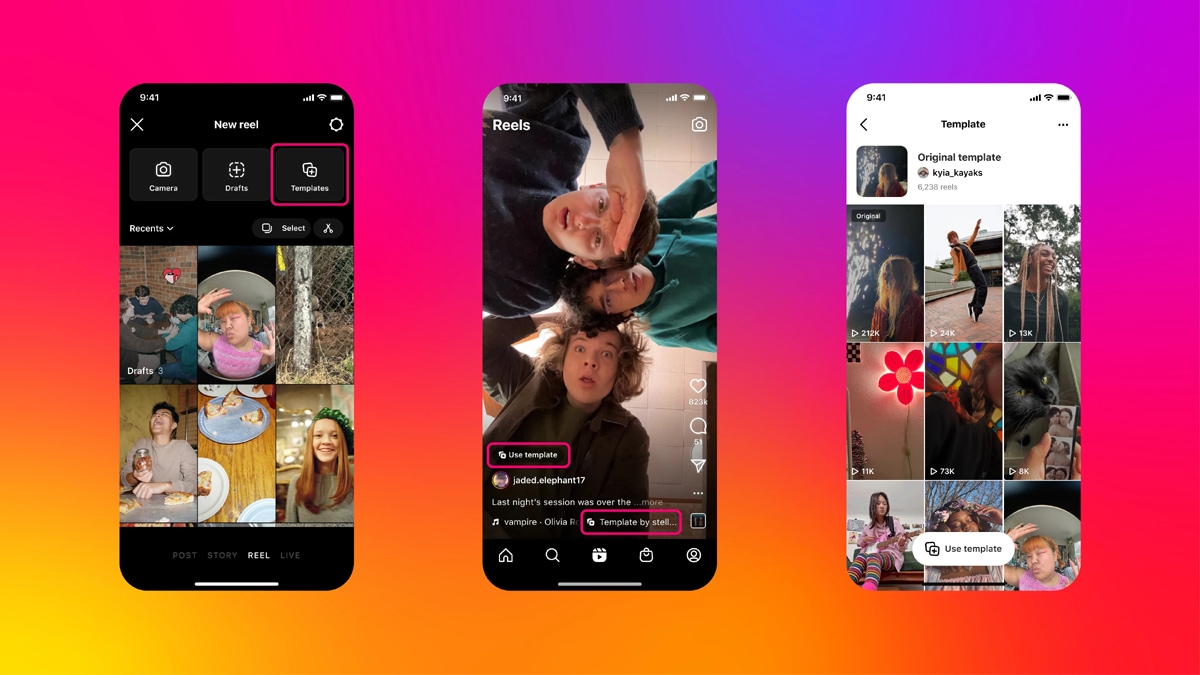
To access the Template browser to create a reel:
- Tap on the Create button from the home page.
- Tap on “REEL”.
- Tap the image in the lower-left corner of the screen to open your camera gallery
- Tap on “Templates”.
Creators can also find the Template Browser through the Reels Tab by tapping on the camera icon, then tapping “Templates”.

Instagram is also allowing creators to easily borrow templates from other Reels, which they find interesting while browsing Reels on the platform. To use templates from other Reels, a creator can tap the “Use Template” button on the Reel to get started.
Creators can also see how others have used templates by tapping on the “Template by” button in the reel. By clicking this, you can see some samples of the template’s creative uses. It is worth noting that TikTok has a similar feature on its app, where creators can apply templates and effects.

What else?
Instagram is also improving the creation and editing experience for templates. Now, when creators create from a template, the audio, number of clips, duration of the clips and AR effects will automatically be added to their Reel.
Instagram also plans to introduce a new feature soon, where the text and transitions from the original Reel will be copied to the template. Users will have the option to modify the templates, such as changing or deleting clips, tweaking the duration of each clip or altering any preset element.
“We’re always working on ways to improve your Reels experience. We’ll continue to build on the Reels templates feature to make it easier and more fun to create and share on Instagram,” Instagram further added.
Meanwhile, Instagram now allows users to download Reels made by others and post them on different platforms. Users can access this feature by clicking on the share button and choosing the Download option. TikTok has offered this feature for a long time and became famous by people viewing short videos with the app’s watermark on other platforms.
The post Instagram introduces ‘Template Browser’ in Reels templates: Here’s everything you need to know appeared first on Techlusive.
from Techlusive https://ift.tt/WlrLPRB
via
IFTTT
Comments
Post a Comment
add