Apple has released iOS 16.5, iPadOS 16.5, tvOS 16.5 and watchOS 9.5. These updates come less than a month ahead of the company’s annual developers’ conference, that is, WWDC 2023.
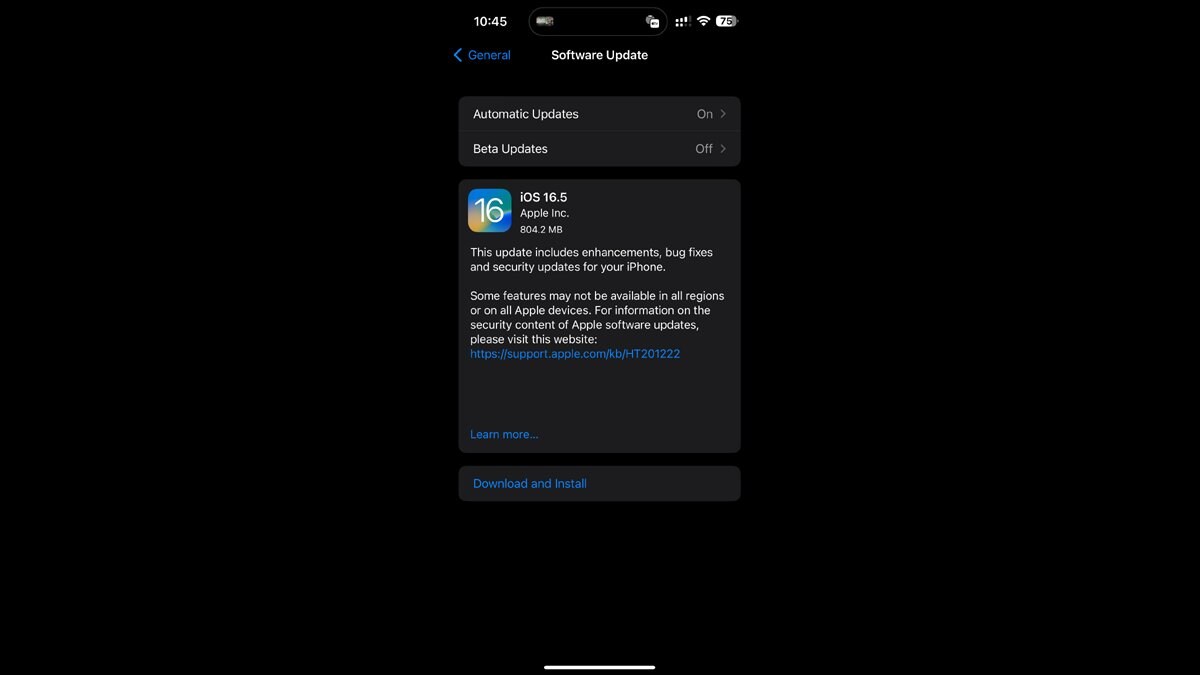
iOS 16.5 and iPadOS 16.5 are available for iPhone 8 and later, iPad Pro (all models), iPad Air third generation and later, iPad fifth generation and later, and iPad mini fifth generation and later.
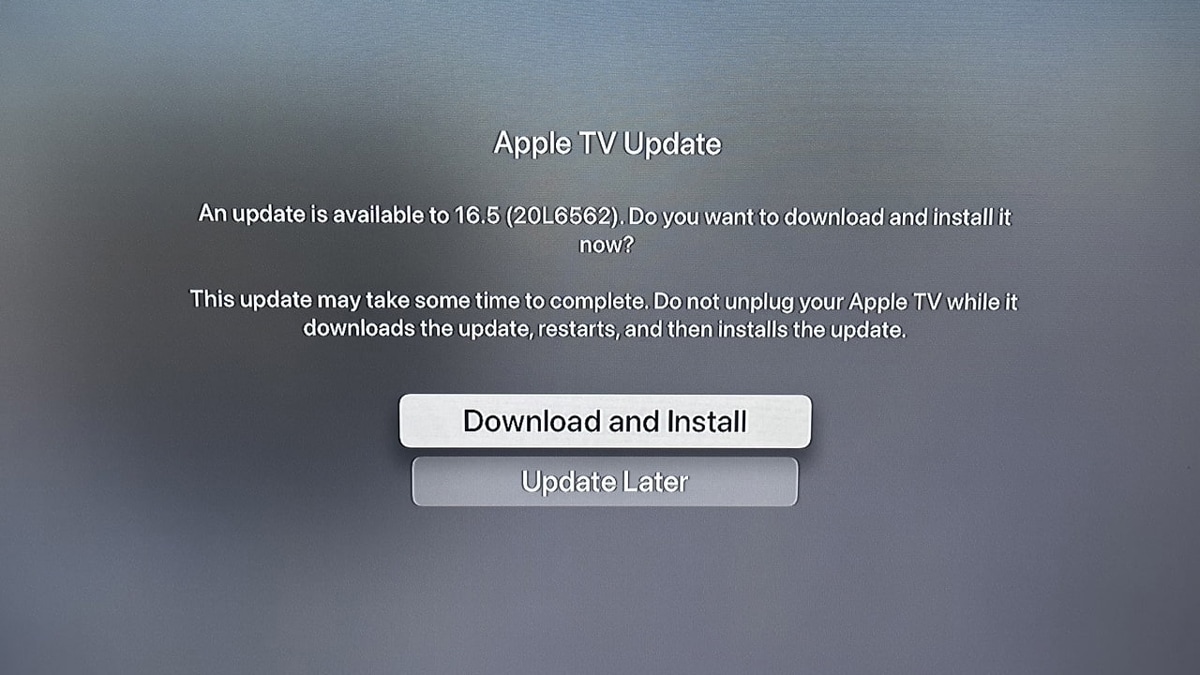
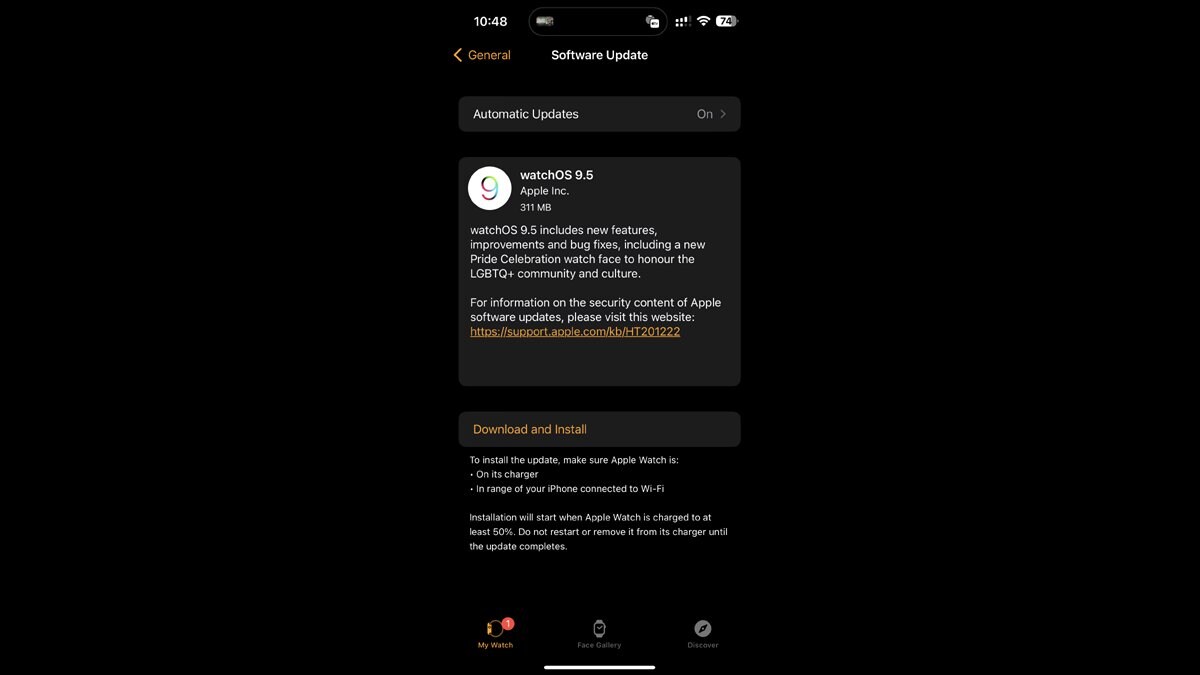
On the other hand, tvOS 16.5 is available for Apple TV 4K (all models) and Apple TV HD; while the watchOS 9.5 is available for Apple Watch Series 4 and later.
What’s new in iOS 16.5 and iPadOS 16.5?
Pride Celebration wallpaper
A new Pride Celebration wallpaper for the Lock Screen to honour the LGBTQ+ community and culture. This is available only on iOS 16.5.
Sports tab
A new Sports tab in Apple News that gives easy access to stories, scores, standings, and more, for the teams and leagues users follow. This is available on both iOS 16.5 and iPadOS 16.5.
Game option in Apple News
A new Go to Game option in Apple News takes users directly to game pages where they can find additional details about specific games. This is available on both iOS 16.5 and iPadOS 16.5.
New screen recording commands
New screen recording commands for Siri that let users start and stop a screen recording with their voices.
Bug fixes
iOS 16.5 has bug fixes and security updates for issues such as Spotlight becoming unresponsive, Podcasts in CarPlay not loading content, and Screen Time settings resetting or not syncing across devices.
iPadOS 16.5 has bug fixes and security updates for issues such as Spotlight becoming unresponsive and Screen Time settings resetting or not syncing across devices.
How to download and install iOS 16.5 and iPadOS 16.5
Step 1: Go to Settings and then to General. Tap on Software Update and tap Download and Install.
Step 2: Enter your passcode and agree to the terms and conditions.
Step 3: Wait for the update to download and install.
What’s new in tvOS 16.5?
Multiview
A new Multiview feature that lets users watch up to four streams of MLS Season Pass or MLB Friday Night Baseball matches at the same time in the Apple TV app.
Bug fixes
Bug fixes and security updates for issues such as Bluetooth connectivity, AirPlay 2 playback, and HomeKit camera notifications.

How to download and install tvOS 16.5
Step 1: Go to Settings then System and then to Software Update on your Apple TV and select Update Software.
Step 2: Wait for the update to download and install.
What’s new in watchOS 9.5?
Pride Celebration watch face
A new Pride Celebration watch face that matches the 2023 Pride band and honours the LGBTQ+ community and culture.
Bug fixes
Bug fixes and security updates for issues such as accessibility, Core Location, Face Gallery, and more along with performance improvements and stability enhancements.

How to download and install watchOS 9.5
Step 1: Go to the Apple Watch app on your iPhone and tap My Watch then General and then to Software Update.
Step 2: Tap Download and Install and enter your passcode if required.
Step 3: Agree to the terms and conditions and wait for the update to download and install.
The post Apple rolls out iOS 16.5, iPadOS 16.5, watchOS 9.5, tvOS 16.5: Check new features and how to download here appeared first on Techlusive.
from Techlusive https://ift.tt/twDniYf
via
IFTTT
Comments
Post a Comment
add